
Azure Active Directory
Azure Active Directory — now Microsoft Entra ID — is the identity platform that governs who can access every application, resource, and service in an Azure environment. Configured correctly, it is the security control that makes cloud infrastructure safer than on-premises. Configured with defaults, it is the first thing an attacker targets.
We implement Azure Active Directory and Entra ID for product teams and agencies who need SSO, conditional access, B2C customer identity, hybrid identity, and privileged access management — not just a tenant with default settings left in place.
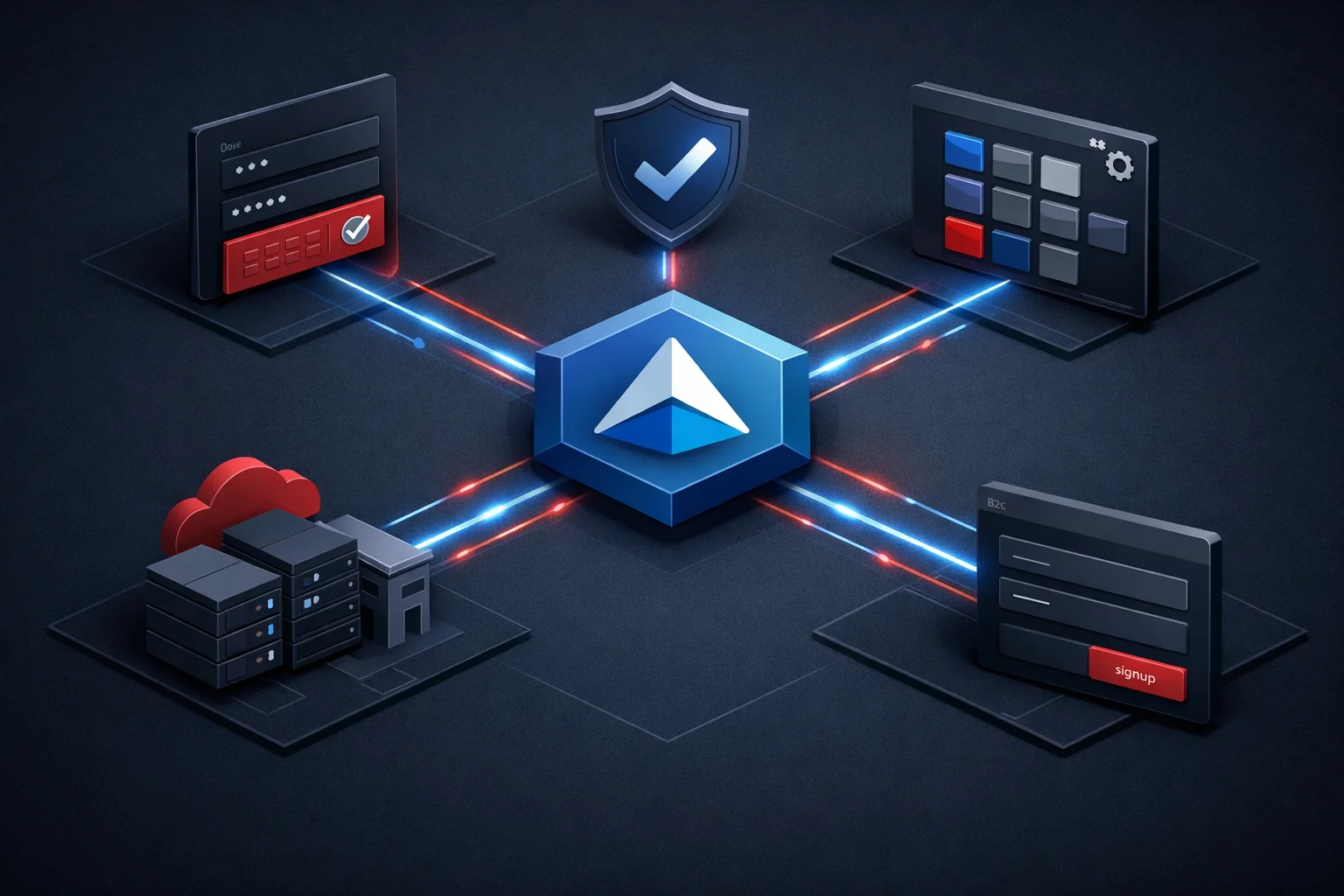
Azure Active Directory as the Identity Foundation of Your Cloud Environment
The network perimeter that once separated trusted from untrusted does not exist in a cloud environment. Employees work from home networks, coffee shops, managed devices, and personal laptops. Applications run in Azure, in SaaS platforms, and on-premises. Partners need access to specific resources without getting access to everything. Every one of these access decisions is made by Azure Active Directory.
An Entra ID tenant created with default settings is not a configured identity platform. Default policies do not enforce multi-factor authentication. Guest access is broader than most organisations realise. Application registrations accumulate without governance. Privileged access is permanently assigned rather than activated only when needed. We configure Azure Active Directory so the identity layer does what cloud security requires it to do. See how identity is configured in our Azure engagements.
Azure Active Directory Services
Six identity and access management services covering the full Azure Active Directory platform.
Application Registration and Single Sign-On
Enterprise and internally-developed applications registered in Azure Active Directory with SSO configured — SAML 2.0 for legacy enterprise SaaS platforms, OpenID Connect and OAuth 2.0 for modern web and mobile applications. Service principal configuration for application-to-application authentication without user credentials. Claims mapping and token configuration so each application receives the user attributes it expects. Application access assigned to authorised users and groups so only the right people can launch each application. White-label app integration available for agency partners.
Conditional Access Policies
Conditional Access is the policy engine that decides whether a sign-in should be allowed, blocked, or challenged with MFA — based on who is signing in, from which location and device compliance state, to which application, and at what assessed risk level. We design and implement policies that enforce MFA for all users, block authentication from high-risk locations, require compliant devices for sensitive applications, and apply sign-in frequency controls for privileged accounts. Policies are tested in report-only mode before enforcement to avoid lockouts.
Azure Active Directory B2C for Customer Identity
Azure AD B2C is the customer identity platform for consumer-facing applications — user registration, login, password reset, profile management, and social identity provider integration. We configure B2C tenants with custom user flows, integrate social providers (Google, Facebook, Apple), implement custom branding so the login experience matches the product, and configure API connectors for business logic during authentication. B2C user data stays in the B2C tenant, separate from the corporate Entra ID directory.
Privileged Identity Management
Permanent assignment of Global Administrator, Subscription Owner, and User Access Administrator roles is one of the most common configuration risks in Azure environments. Privileged Identity Management converts permanent assignments to time-limited, approval-gated activations. We configure PIM for all privileged Azure AD and Azure resource roles, set up approval workflows for sensitive roles, configure activation notifications, and schedule access reviews to identify stale eligibility assignments. A compromised permanently-assigned admin is a different risk profile from a compromised eligible admin. See how PIM is applied in our engagements.
Azure AD B2B External Collaboration
Partners, agency clients, and third-party contractors who need access to specific resources — not a full internal account, but more than anonymous access. Azure AD B2B sends an invitation to an external user’s existing identity, creates a guest record in the host tenant, and grants access scoped to the specific applications they are authorised to use. We configure B2B collaboration with domain allowlists, guest access permissions narrowed to prevent guests from enumerating other directory members, and access reviews to remove guest access that is no longer needed.
Azure AD Connect and Hybrid Identity
For organisations running on-premises Active Directory alongside Azure cloud resources, Entra ID Connect synchronises on-premises users, groups, and devices to the cloud directory. Seamless SSO lets domain-joined users access Azure and SaaS applications without re-entering credentials. We implement Entra ID Connect with the correct synchronisation scope and attribute filtering, configure password hash sync or pass-through authentication based on security requirements, and design the hybrid identity model to support the phased cloud roadmap.
Single-Tenant, B2C, B2B, or Hybrid — Choosing the Right Identity Model
Azure Active Directory provides four distinct identity models and the right choice depends on who is authenticating and what they are accessing. A single-tenant Entra ID configuration covers employees and internal service accounts. Azure AD B2B extends the corporate Entra ID to cover partner and vendor access through guest invitations, with access scoped to specific applications. Azure AD B2C is a separate tenant for customer-facing applications — consumer identity with custom branding and social logins. Hybrid identity extends on-premises Active Directory to Entra ID for organisations that cannot immediately migrate all identity infrastructure.
Most organisations that have been on Azure for more than two years operate a combination: corporate Entra ID for employees, B2B for partners, B2C for customer applications. Making these work together without overlapping permissions or confusing users requires deliberate architecture rather than each team provisioning identity independently. Talk to us about the right identity model for your organisation.

What We Configure in an Azure Active Directory Engagement
Four identity capabilities that go beyond basic tenant setup.
Multi-Factor Authentication and Passwordless Configuration
Microsoft Authenticator, FIDO2 security keys, Windows Hello for Business, and TOTP — different MFA methods for different user populations and risk levels. We configure authentication strength policies that require phishing-resistant MFA for privileged access and allow standard TOTP for lower-risk applications. Passwordless deployment covers the enrolment campaign, device compatibility assessment, and fallback method for users who lose their primary authenticator. The engagement concludes with a documented authentication policy every team member can follow. Request an MFA configuration review.
Entitlement Management and Access Reviews
Azure AD Entitlement Management provides access packages — bundles of application access and group memberships — that users can request through a self-service portal, with approval workflows and automatic expiry. Access reviews run on a defined schedule and require resource owners to confirm whether each user’s access is still justified. We configure entitlement management for applications where self-service access is appropriate and set up quarterly reviews for sensitive resource access. Reviewers receive a task in their inbox rather than a spreadsheet to manage manually. See how access governance is applied.
Azure AD Audit Logs and Sign-In Monitoring
Every authentication event, role assignment change, application consent, and administrative action in Azure Active Directory is logged. Routing these logs to a Log Analytics workspace enables queries, alerts, and long-term retention. We configure diagnostic settings to export Azure AD logs, build dashboards showing failed sign-in patterns, risky users, and privileged role changes, and set up alerts for the events that warrant immediate attention — successful sign-ins from blocked regions, bulk user deletion, emergency access account usage, and Global Administrator role additions.
Custom Claims and Token Configuration
Applications consuming tokens from Azure Active Directory often need additional attributes beyond the standard claim set — department, cost centre, manager, custom application roles, or group membership. We configure custom claims in the application manifest, implement optional claims for standard Azure AD attributes, and design app roles for application-specific authorisation. For applications with strict token size constraints, the claims set is designed to stay within the token size limit while providing the authorisation context the application requires.
White-Label Azure Active Directory Configuration for Agency Partners
Your agency is delivering a project that needs identity — SSO for an enterprise client, B2C for a consumer application, or partner access through B2B. Identity configuration is a specialist area requiring understanding of both the Azure AD platform and the security implications of each decision. We provide white-label Azure Active Directory and Entra ID configuration under your agency brand — designed for the specific identity scenario, documented for handover, and tested before go-live.
Agency partners receive identity architecture that fits the project, configuration documentation the client team can own and extend, and a security-first approach that does not leave the tenant with defaults that create risk. Explore the agency partner programme or review the white-label development model for details.

Why Identity Is the Perimeter Your Azure Security Depends On
The majority of cloud security incidents do not begin with a vulnerability in a web application or a misconfigured storage account. They begin with a compromised credential — a password exposed in a breach, a phishing email that captured an MFA code, or a legacy authentication protocol that bypassed conditional access entirely. Azure Active Directory is the control plane that every access decision runs through. When configured correctly, a compromised password alone is not enough to gain access. When left at defaults, a credential breach is a tenant breach.
Organisations that have invested in Azure infrastructure but left identity at default settings carry the highest exposure in the Microsoft ecosystem — conditional access not enforced, legacy authentication not blocked, privileged roles permanently assigned. We audit and remediate Azure Active Directory for product teams and agencies who have reached the point where identity governance is no longer optional. Book a consultation to understand what an identity audit reveals about your Entra ID tenant.
Azure Active Directory Engagement Models
Four structures for identity and access management configuration.
SSO and Application Integration
End-to-end SSO configuration for the application portfolio — enterprise SaaS registered with SAML or OIDC, internal applications registered with appropriate authentication flows, service principals for non-user authentication, and the My Apps portal configured as the application launcher. Users sign in once to access every application without re-authenticating. Includes claims configuration and group-to-application access assignment for each registered application.
Conditional Access and MFA Deployment
Conditional access policy design, testing in report-only mode, and phased enforcement. MFA registration campaign for the user population. Legacy authentication block configuration. Named locations and trusted IP ranges defined. Device compliance requirements configured and referenced by conditional access. The engagement concludes with no authentication path that bypasses MFA for sensitive applications. Talk to us about your conditional access requirements.
Azure AD B2C Customer Identity Implementation
B2C tenant creation, custom user flow configuration for signup, signin, password reset, and profile edit, social identity provider integration, custom branding aligned to the product design, API connector configuration for business logic during authentication, and application registration for consuming applications. Token lifetime policies set for the application’s security requirements. Suitable for consumer-facing applications, multi-brand deployments, and SaaS products with external customer registration.
Entra ID Security Audit and Remediation
An independent review of the Entra ID tenant against Microsoft’s recommended security baseline: conditional access coverage, legacy authentication status, privileged role assignments, guest access permissions, application consent grants, and sign-in risk policies. Written report with findings prioritised by risk and effort. Remediation sprint addressing the highest-risk findings — permanently assigned Global Administrator accounts, absent MFA enforcement, unconstrained guest access — within the same engagement scope.
How We Deliver an Azure Active Directory Configuration Engagement
01. Identity Assessment and Tenant Review
02. Tenant Security Baseline Configuration
We review the existing Entra ID tenant against a configuration checklist — conditional access coverage, MFA registration rates, legacy authentication status, privileged role assignments, application consent grants, guest access settings, and sign-in risk policy configuration. The output is a prioritised list of configuration gaps with risk ratings, forming the scope of the engagement agreed before any configuration work begins on the production tenant.
03. Application Registration and SSO Configuration
Before application-specific configuration begins, the tenant baseline is established: security defaults disabled in favour of explicit conditional access policies, legacy authentication protocols blocked, emergency access accounts created and documented, password protection configured, and the Global Administrator account count reduced to the recommended minimum. These tenant-level controls apply regardless of which applications or users are in scope for the remaining engagement.
04. Conditional Access Policy Design and Enforcement
Enterprise and internally-developed applications registered in Azure Active Directory with the appropriate authentication protocol for each. SAML federation metadata exchanged for enterprise SaaS integrations. OIDC and OAuth 2.0 app registrations created with scoped permissions following least privilege. Redirect URIs, logout URLs, and token lifetime policies configured. Application access restricted to assigned users and groups rather than open to the full directory by default.
05. Privileged Access and PIM Configuration
Conditional access policies designed against the organisation’s access requirements and deployed in report-only mode for two weeks to identify the affected user population. Impact assessed and remediation actions taken — MFA registration, device enrolment — before policies move to enforcement mode. The enforcement sequence prioritises the highest-risk authentication paths first so security improves progressively without a single cutover event that disrupts the entire user population.
06. Monitoring, Alerting, and Handover
All permanent privileged role assignments reviewed and converted to PIM-managed eligible assignments where the role is not needed continuously. Approval workflows configured for Global Administrator and other sensitive roles. Activation maximum duration set per role based on operational requirements. PIM alerts configured for role assignment changes outside the workflow. Access reviews scheduled for privileged role eligibility on a 90-day cadence to identify and revoke stale assignments.
Identity secured. Access governed. Tenant documented.
Azure AD diagnostic logs exported to a Log Analytics workspace. Dashboards configured for sign-in health, risky user tracking, and administrative change monitoring. Alerts set for high-priority events: successful sign-ins from blocked regions, bulk object deletion, emergency access account usage, and Global Administrator additions. Written documentation covering the conditional access policy rationale, PIM configuration, application registration inventory, and operational procedures for user lifecycle and access request handling.
Azure Active Directory: Common Questions
Answered by engineers who implement and manage Entra ID for production environments.
What is Azure Active Directory and how does it relate to Microsoft Entra ID?
Azure Active Directory is the identity and access management service built into Microsoft Azure — the platform that manages user identities, authenticates access to applications and resources, and enforces access policies across cloud and hybrid environments. Microsoft rebranded Azure Active Directory as Microsoft Entra ID in 2023, but the underlying service is the same. The Azure portal still shows “Azure Active Directory” in some interfaces, and the term appears widely in existing documentation and tooling. For practical purposes, Azure Active Directory and Microsoft Entra ID refer to the same service.
What is the difference between Azure AD B2B and Azure AD B2C?
Azure AD B2B is for external collaboration with known partners, vendors, and clients — inviting specific individuals from other organisations to access resources in your Azure AD tenant using their existing identity. Guest users are in your directory, you control what they can access, and their lifecycle is managed with access reviews. Azure AD B2C is a separate tenant for customer identity in consumer-facing applications — large-scale user flows, social identity provider integration, and custom-branded login experiences. B2B users are guests in your corporate directory. B2C users are customers in a separate purpose-built tenant with no dependency on the corporate directory structure.
What is Conditional Access in Azure Active Directory?
Conditional Access is the policy engine in Azure Active Directory that evaluates every sign-in attempt and decides whether to allow it, block it, or require additional verification. The conditions evaluated include: who is signing in, what application they are accessing, the location and IP range, the device compliance state, and the assessed risk level from Identity Protection. Policies can enforce MFA, require a compliant device, restrict access to specific named locations, or block sign-ins entirely. Every access decision for an application integrated with Azure AD passes through the conditional access engine before the token is issued.
What is Privileged Identity Management and why does it matter?
Privileged Identity Management converts permanently assigned privileged roles into time-limited, on-demand activations. Instead of a user being a Global Administrator at all times, they are an eligible Global Administrator who requests activation, provides a justification, receives the role for a defined period — typically two to eight hours — and the assignment expires automatically. This reduces the exposure window if a privileged account is compromised. A permanently assigned Global Administrator who is phished grants the attacker permanent tenant administrator access. An eligible Global Administrator who is phished grants a standard user account, which requires a separate PIM activation step to escalate.
When should a product team use Azure AD B2C rather than the corporate Entra ID tenant?
A product team should use Azure AD B2C when the application’s users are external customers rather than employees or known partners, when the login experience needs to be fully branded to match the application rather than showing a Microsoft login page, or when the application needs social identity provider support without custom authentication logic. B2C is a separate tenant from the corporate Entra ID, so customer data and employee data are in completely separate directories. It also scales to millions of users, handles its own licensing based on monthly active users, and supports custom user flows that the corporate Entra ID tenant cannot replicate.
How do you migrate from on-premises Active Directory to Azure Active Directory?
Migration from on-premises Active Directory to Azure Active Directory is a phased process rather than a cutover. The typical path starts with hybrid identity: Entra ID Connect synchronises on-premises users, groups, and password hashes to the cloud directory, enabling cloud and SaaS application authentication while on-premises resources still authenticate against the local domain controller. From this hybrid state, applications migrate to Entra ID authentication, devices enrol into Entra ID, and the dependency on on-premises domain controllers reduces progressively. A full Entra ID-only state requires retiring legacy Kerberos and NTLM authentication, migrating ADFS federated authentication to cloud-native authentication, and confirming no remaining application dependency on the on-premises domain.